Tessio self-hosting
Tessio is a self-hosted ITSM platform (open core; the core is free to self-host under the GNU AGPL-3.0) — ticketing, asset/inventory (CMDB), knowledge base, custom forms, dashboards, and workflow automation. The full core product is free for up to 5 admins/agents (requesters — your end users — are always free and unlimited); beyond that, seats are billed per user per month, which also unlocks the enterprise features (SSO, audit log).
These docs cover running and operating Tessio on your own infrastructure.
Quickstart (5 min) → Get the community edition →
See Tessio in action
A fast, keyboard-friendly service desk you run yourself. Below are a few screens and short clips from a running instance.
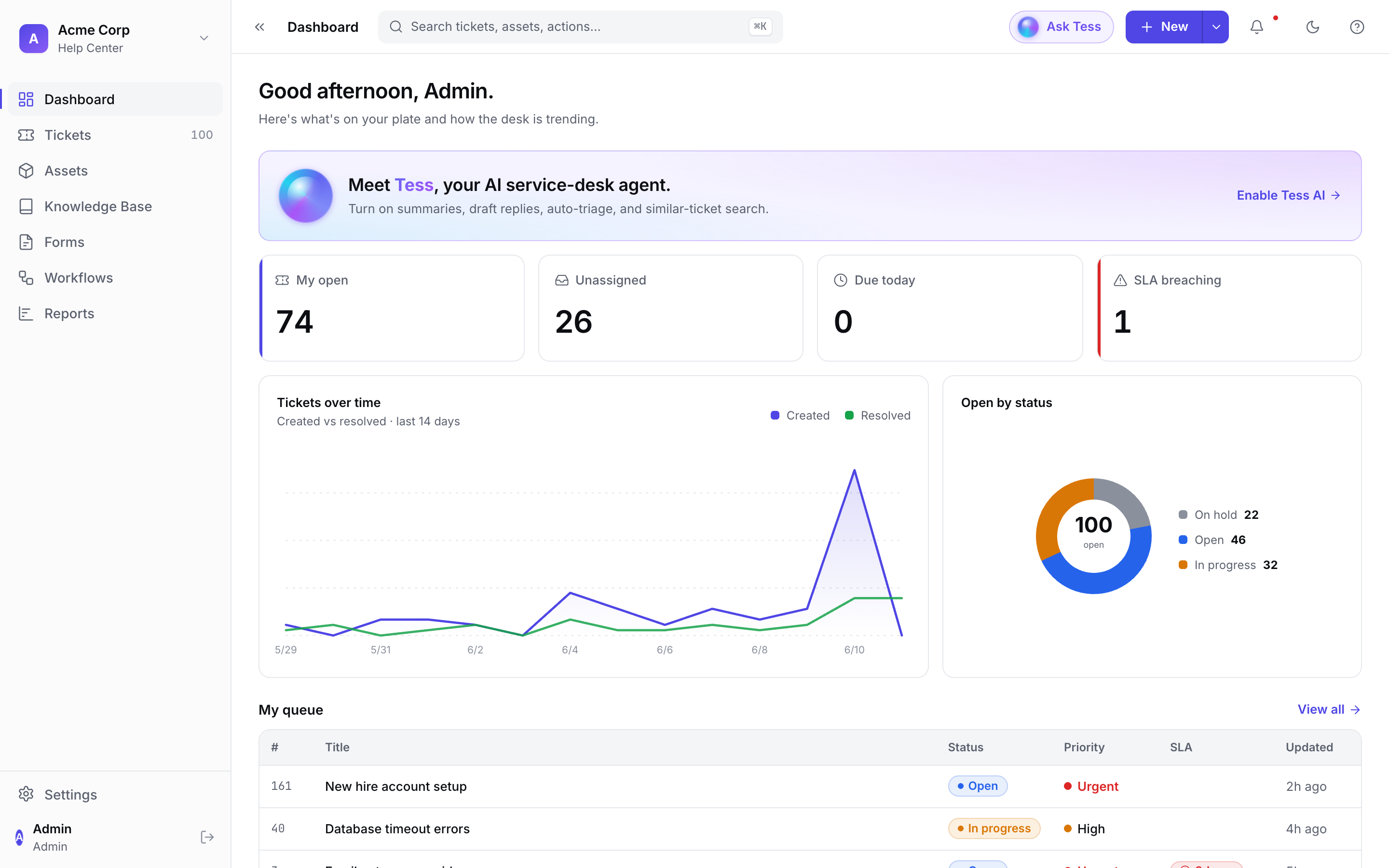
Agent dashboard
Open/unassigned/breaching counts, a created-vs-resolved trend, and your personal queue — the first thing an agent sees each morning.
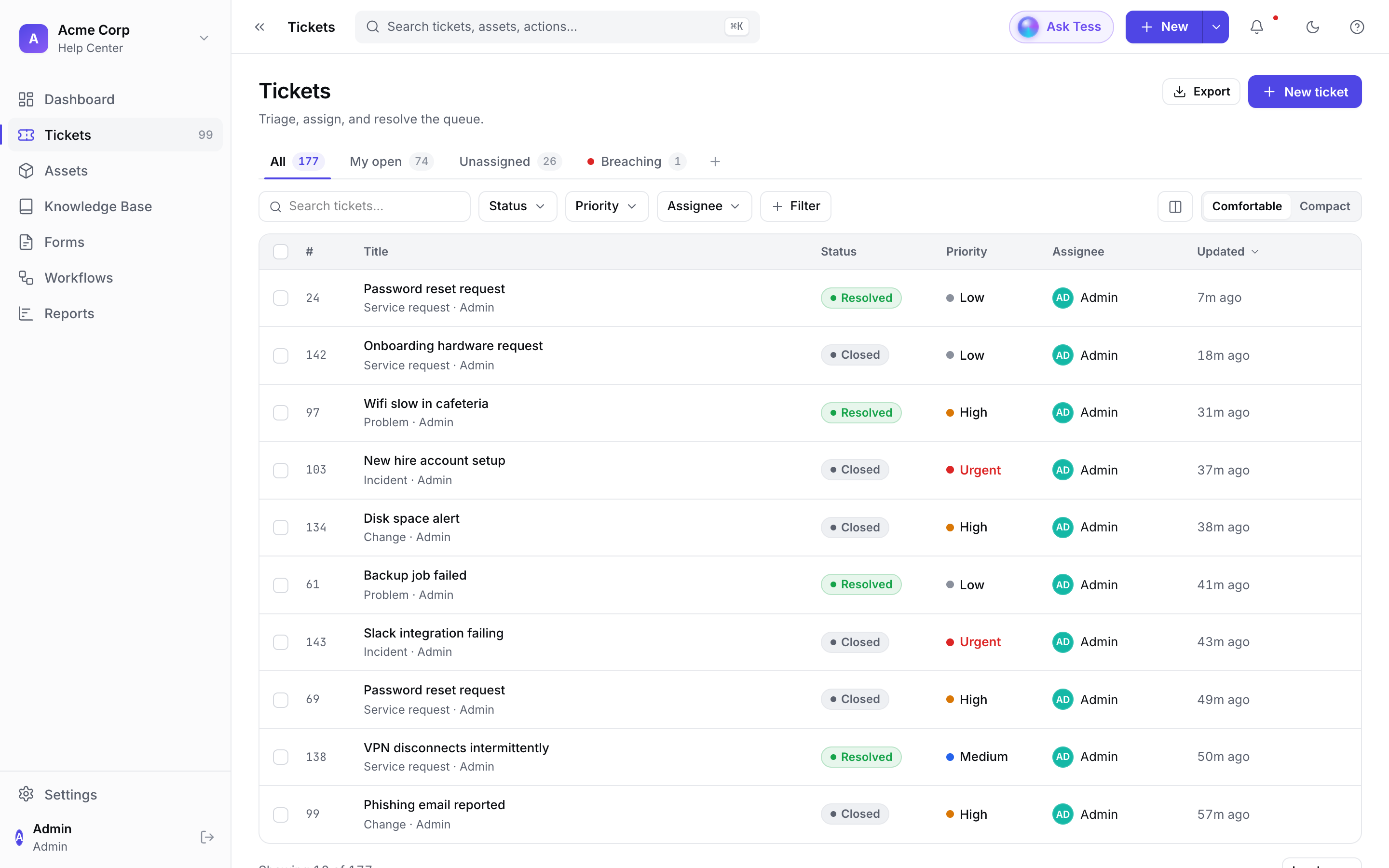
Ticket queue
Triage views (All / My open / Unassigned / Breaching), inline status and priority, and filtering — built for working a real queue.
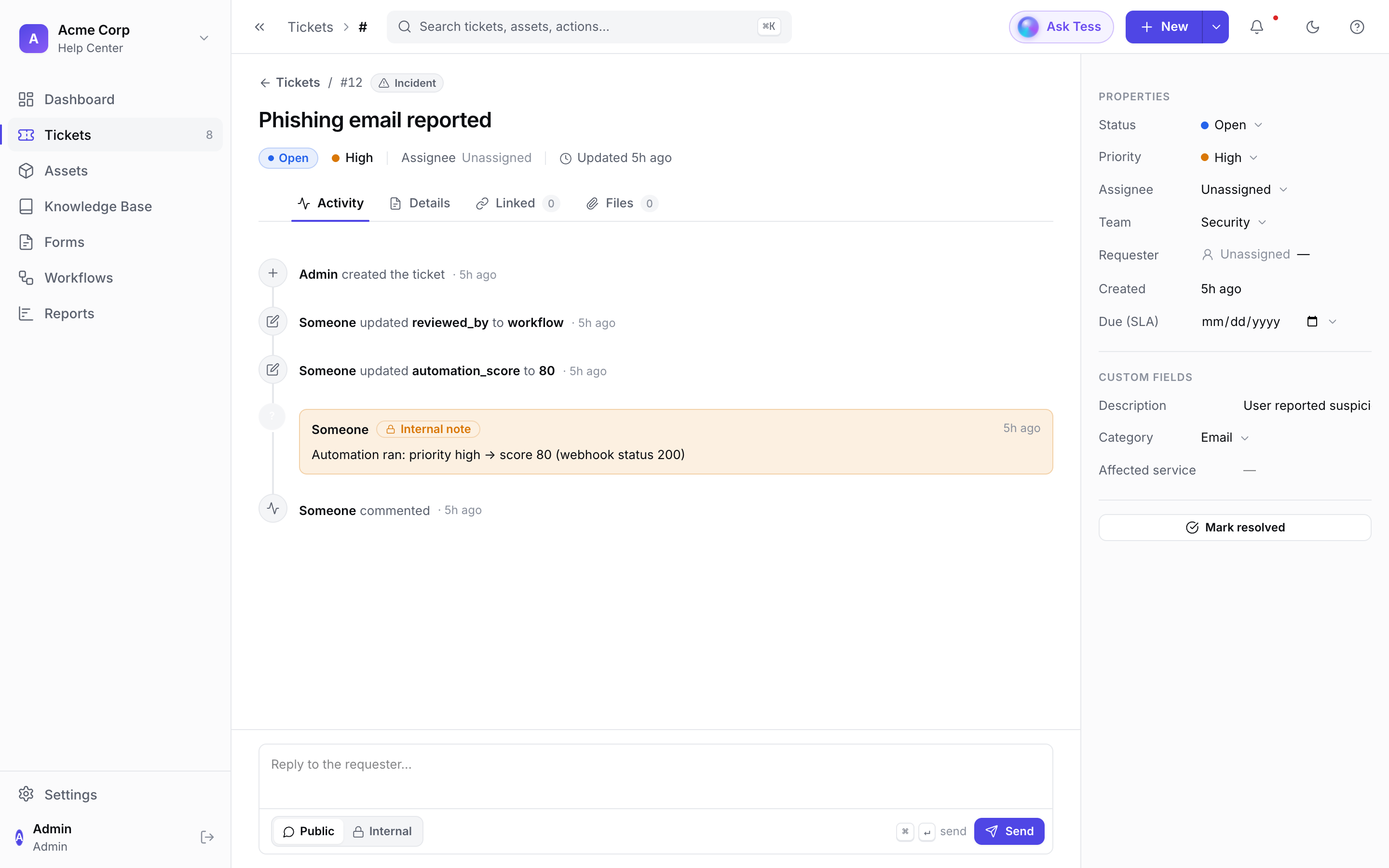
Ticket detail
A full activity timeline (including automation notes), editable properties and SLA, custom fields, and public/internal replies.
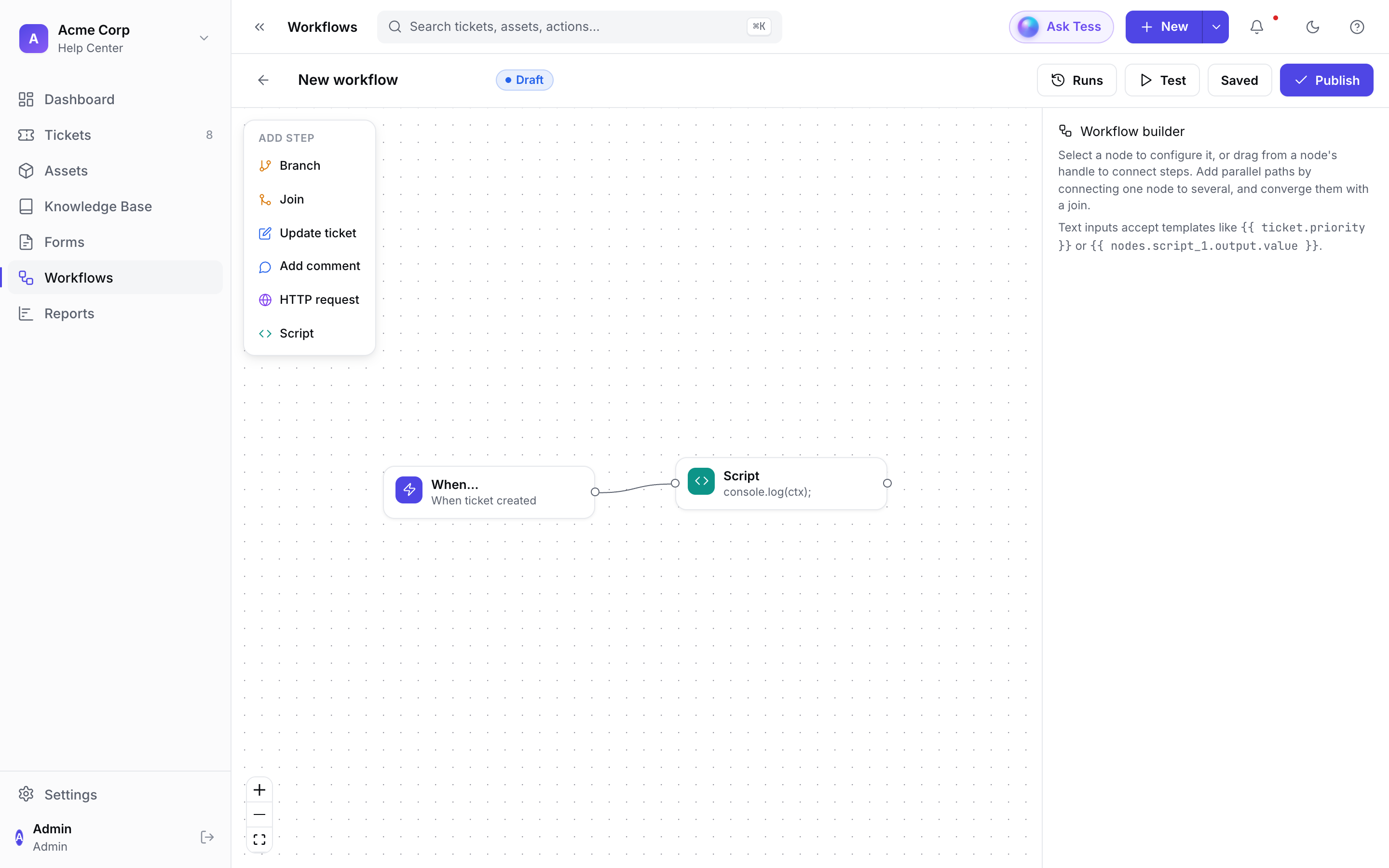
Visual workflow automation
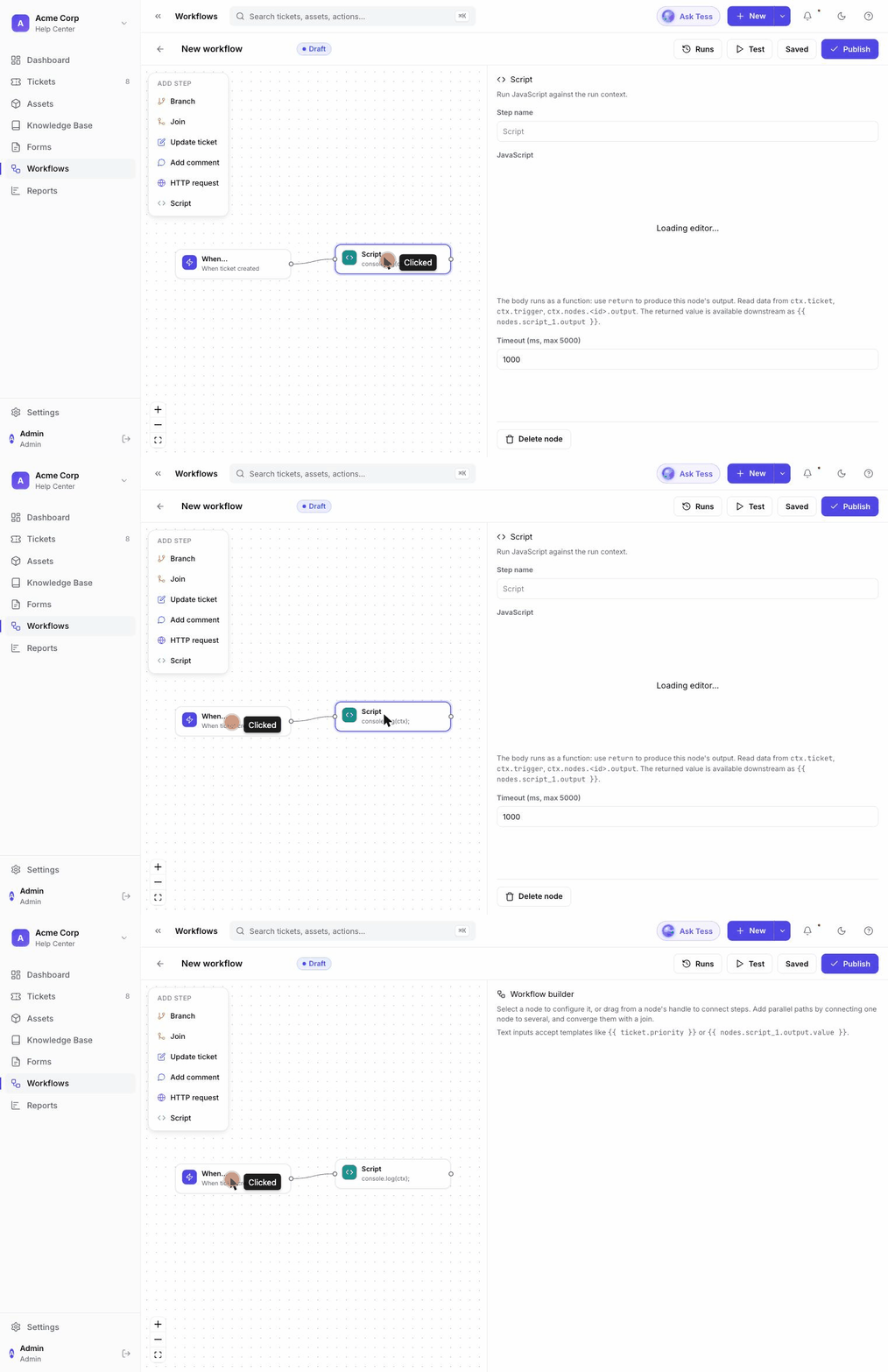
Drag-and-connect steps — branches, ticket updates, comments, HTTP calls, and sandboxed scripts — to automate triage and routing.
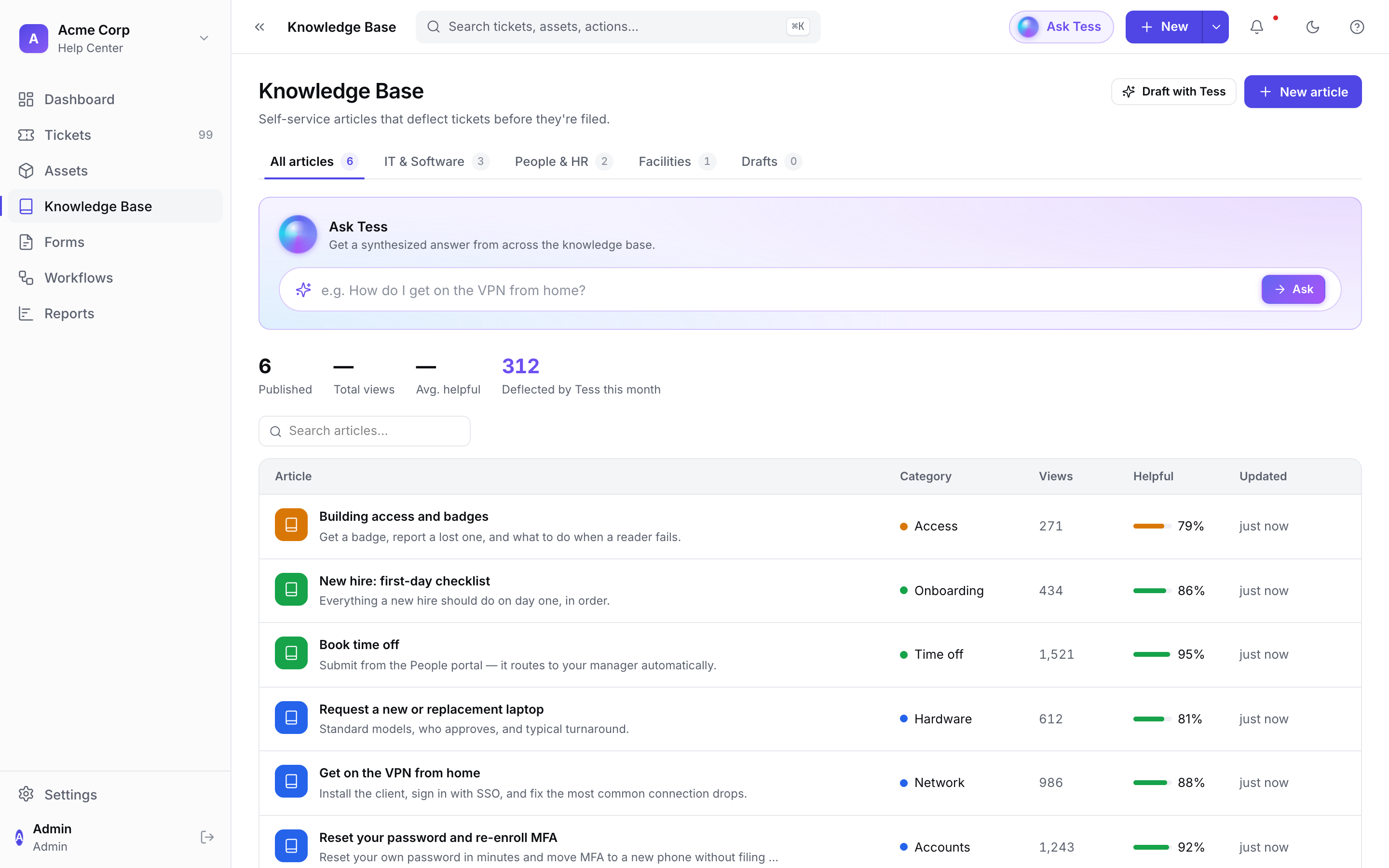
Knowledge base
Self-service articles that deflect tickets before they're filed, grouped by category, with an "Ask Tess" answer box over your whole knowledge base.
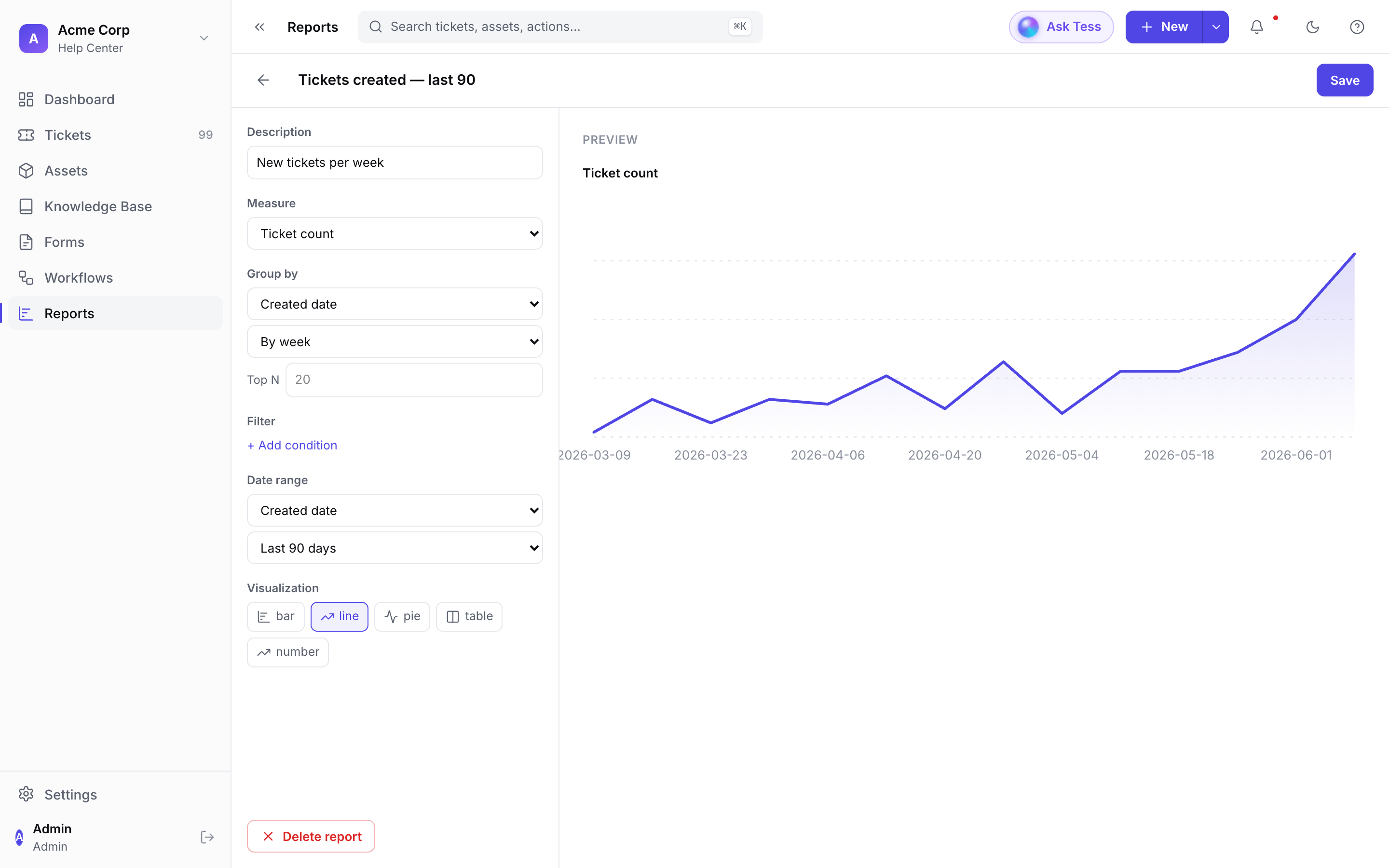
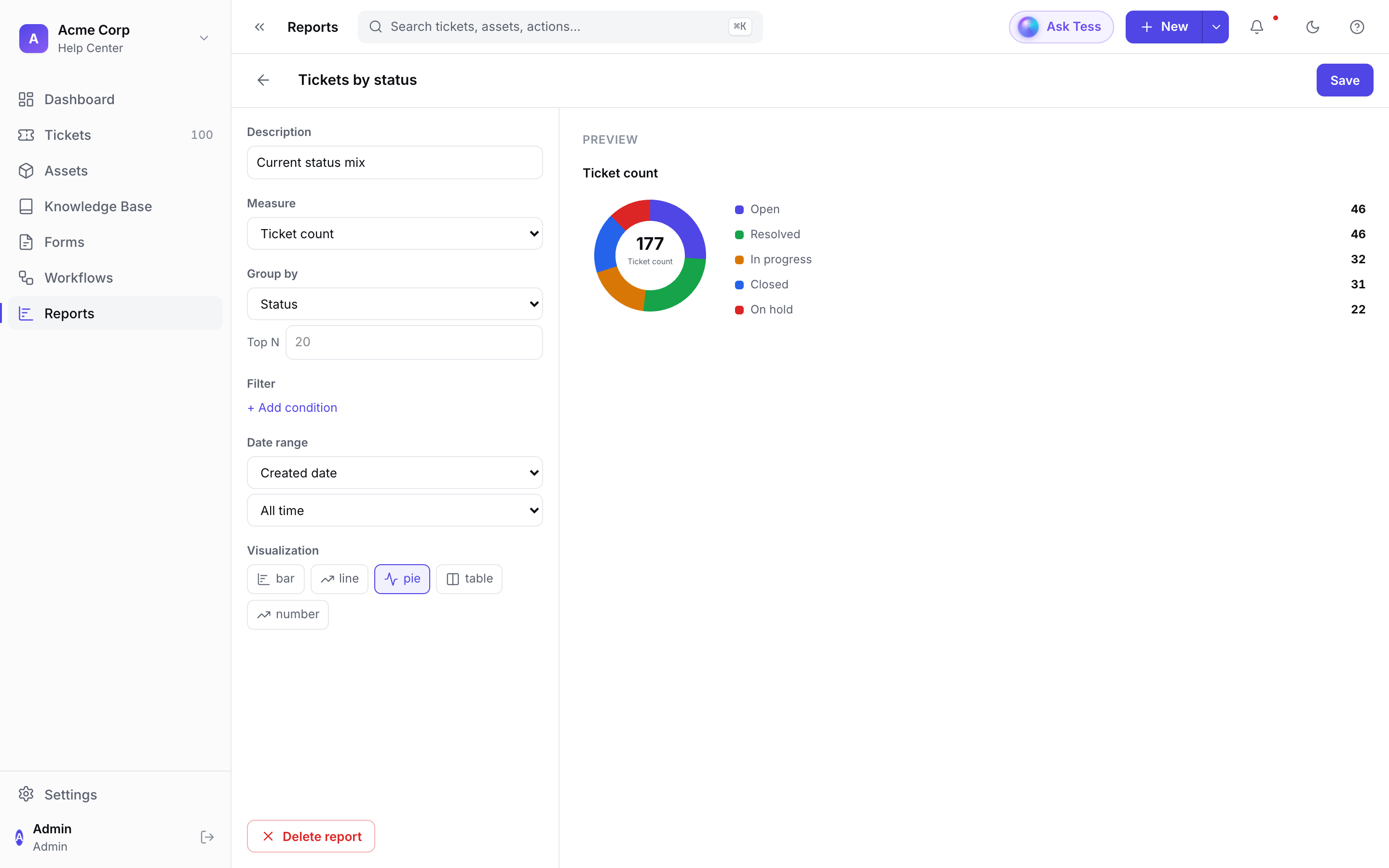
Custom reports
Build a report from any measure (ticket counts, resolution time, AI-triage metrics) grouped by any dimension, and visualize it as a line, bar, pie, table, or single number.
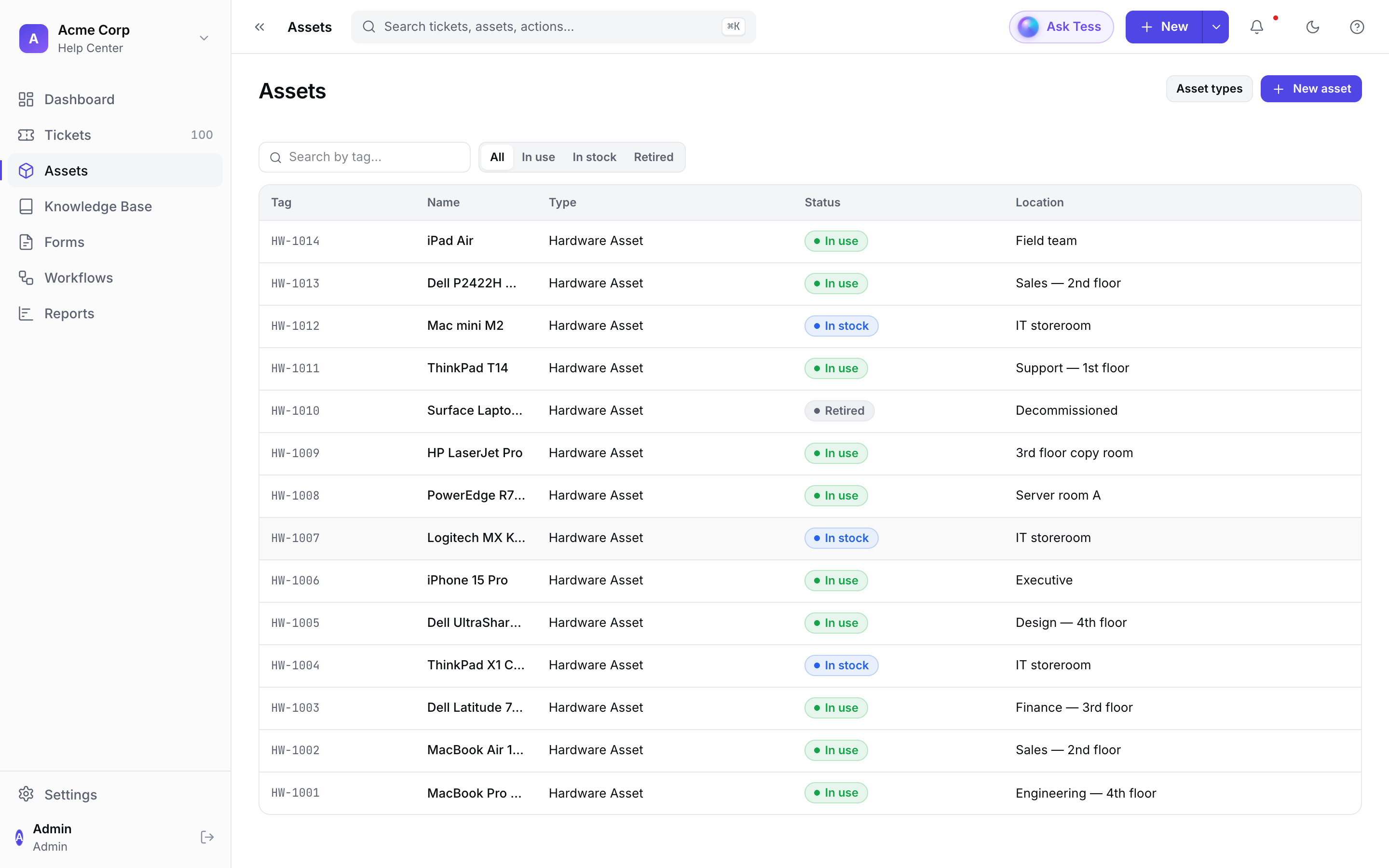
Assets & inventory (CMDB)
Track hardware and inventory with tags, status, location, and warranty — filter by lifecycle state and link assets to the tickets that affect them.
Short clips
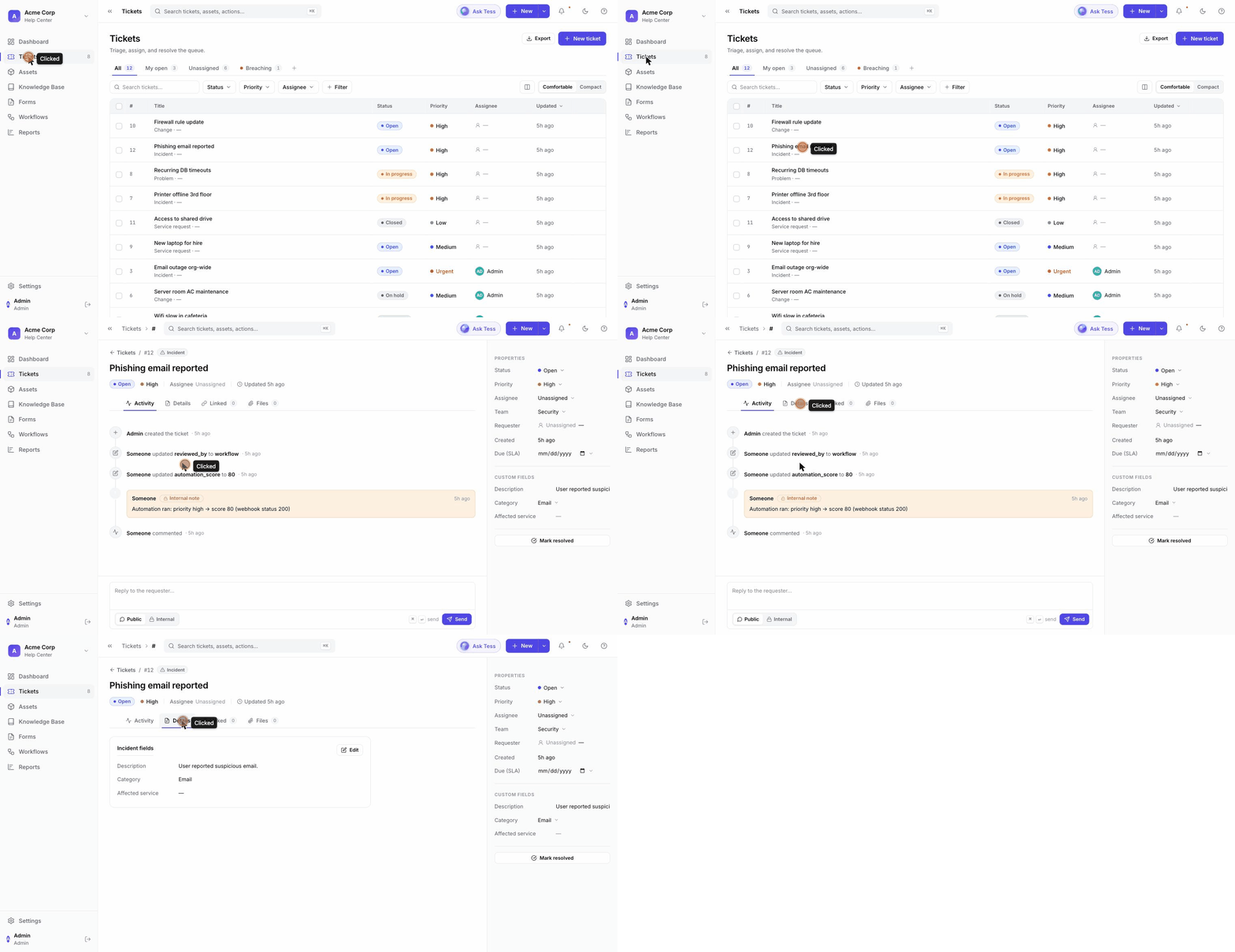
Triaging a ticket — from the dashboard into the queue and open a ticket:
Building a workflow — inspecting a step in the automation builder:
Pick an install path
| Path | Best for | Containers |
|---|---|---|
| Docker Compose | A single host / VM, the recommended default | 7 (app + Postgres + Redis) |
| Single container (all-in-one) | PaaS (Fly.io, Railway), simplest footprint | 1 app container + your datastores |
| Kubernetes (Helm) | Clusters, declarative + upgrade-safe | Pods via the chart |
All paths run the same images (ghcr.io/tessio-ai/tessio-*) and need a
PostgreSQL with the pgvector extension plus Redis.
Requirements
- Docker (Compose v2) for the Compose / all-in-one paths, or a Kubernetes cluster + Helm 3 for the Helm path.
- PostgreSQL 16 with the
vectorandpgcryptoextensions available (the bundled Postgres imagepgvector/pgvector:pg16has them; a managed Postgres must supportpgvector). - Redis 7 (used as the job queue).
- Two secrets you generate once: a session-signing secret and a 32-byte encryption key (see Configuration).
New here? Start with the 5-minute quickstart.